01. Overview
Foodie is a mobile food delivery platform designed to simplify the process of discovering restaurants, ordering meals, and tracking deliveries. The goal was to create a user-friendly experience that reduces friction throughout the ordering journey while helping users find food options that match their preferences quickly and efficiently.
03. GOALS
01
02
03
04. RESEARCH AND INSIGHTS
05. DESIGN DECISIONS
06. SOLUTION SHOWCASE
01. User Flow

Overview
Illustrate how users move through the experience and complete their primary goals. Highlight the key steps, decision points, and interactions that shaped the overall journey.
Key Highlights
• Describe an important flow improvement or optimization.
• Explain how the flow reduces friction or confusion.
• Highlight a key interaction or user pathway.
• Mention how the flow supports user goals.
Outcome
Summarize how the user flow creates a more intuitive and efficient experience.
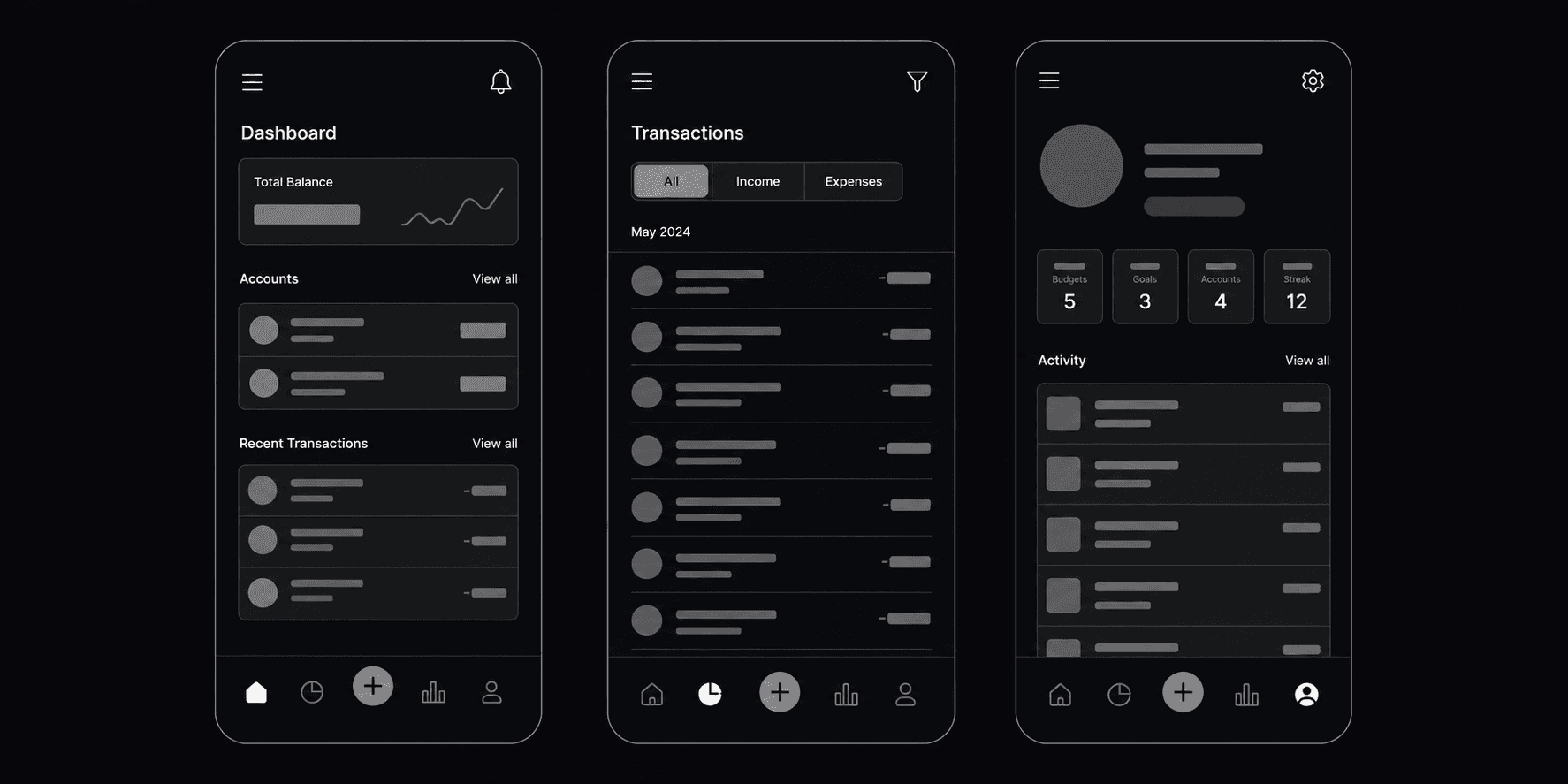
02. Wireframes
Overview
Show the early exploration phase of the design process. Explain how layouts, content hierarchy, and interactions were tested before moving into high-fidelity designs.
Key Highlights
• Describe a major layout decision.
• Explain how information hierarchy was established.
• Highlight a usability consideration.
• Mention an iteration or refinement made during the process.
Outcome
[Summarize how wireframing helped validate ideas and improve the final solution.]
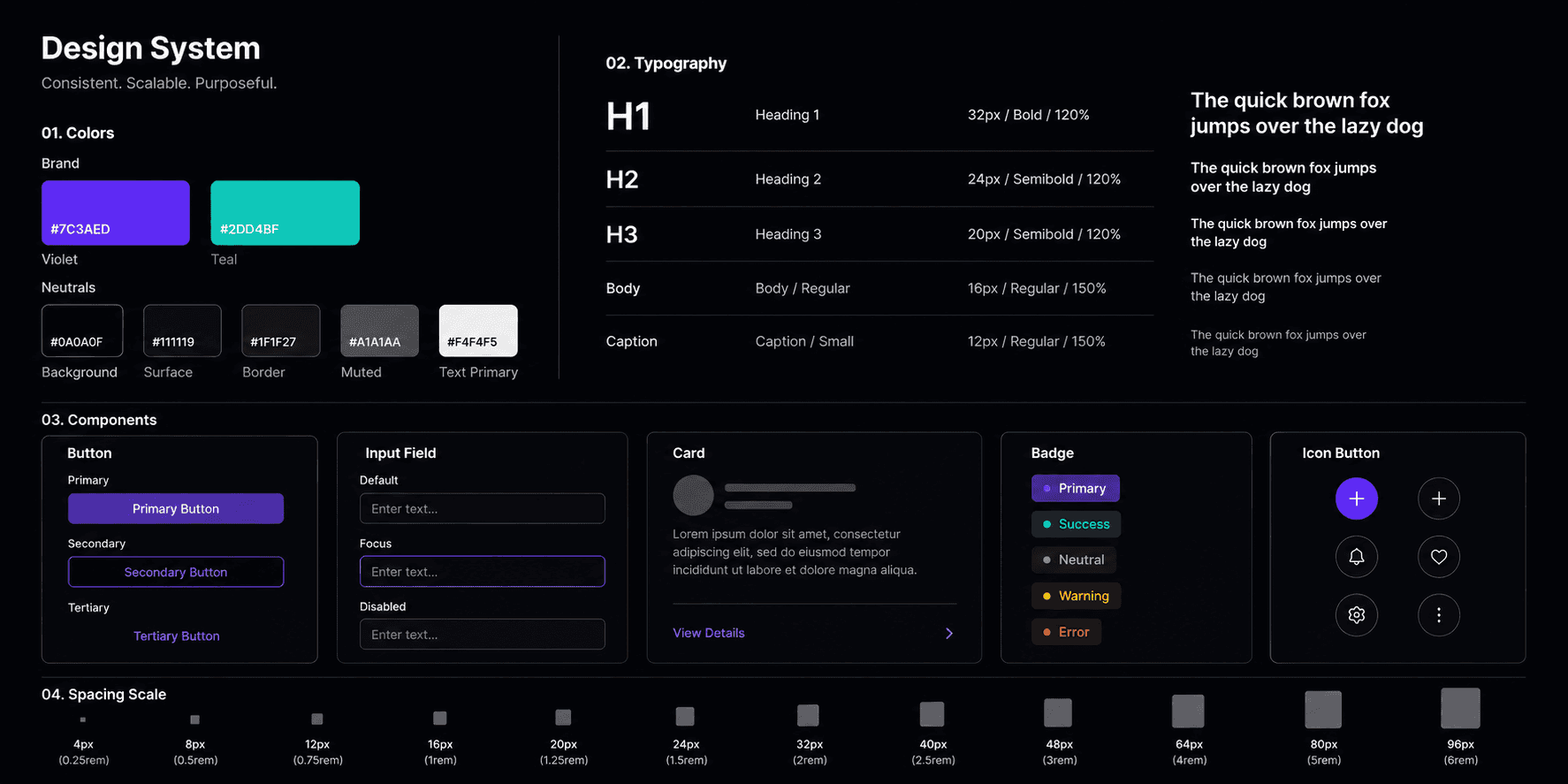
03. Design System
Overview
Present the visual language of the project, including typography, colors, spacing, components, and interaction patterns that ensure consistency throughout the experience.
Key Highlights
• Describe the typography approach.
• Explain the color strategy.
• Highlight reusable components.
• Mention accessibility or consistency considerations.
Outcome
Summarize how the design system supports scalability and usability.
04. Key Screens

Overview
Showcase the most important screens within the experience and explain how each contributes to solving the identified problem.
Key Highlights
• Describe an important screen or feature.
• Explain a notable UX improvement.
• Highlight a visual design decision.
• Mention how users benefit from the solution.
Outcome
Summarize the value delivered through the final screen designs.
05. Prototype & Interactions
Overview
Demonstrate how interactions, animations, and transitions help create a smoother and more engaging user experience.
Key Highlights
• Describe an interaction pattern.
• Explain how motion improves usability.
• Highlight a micro-interaction or transition.
• Mention how feedback is communicated to users.
Outcome
Summarize how interactions improve usability and overall product experience.